AI Chat
Try asking- Write me an RSI mean reversion strategy for EURUSD
- Write a London session breakout strategy
- Compare how Bitcoin and gold performed in 2024
- What is an FVG in ICT?
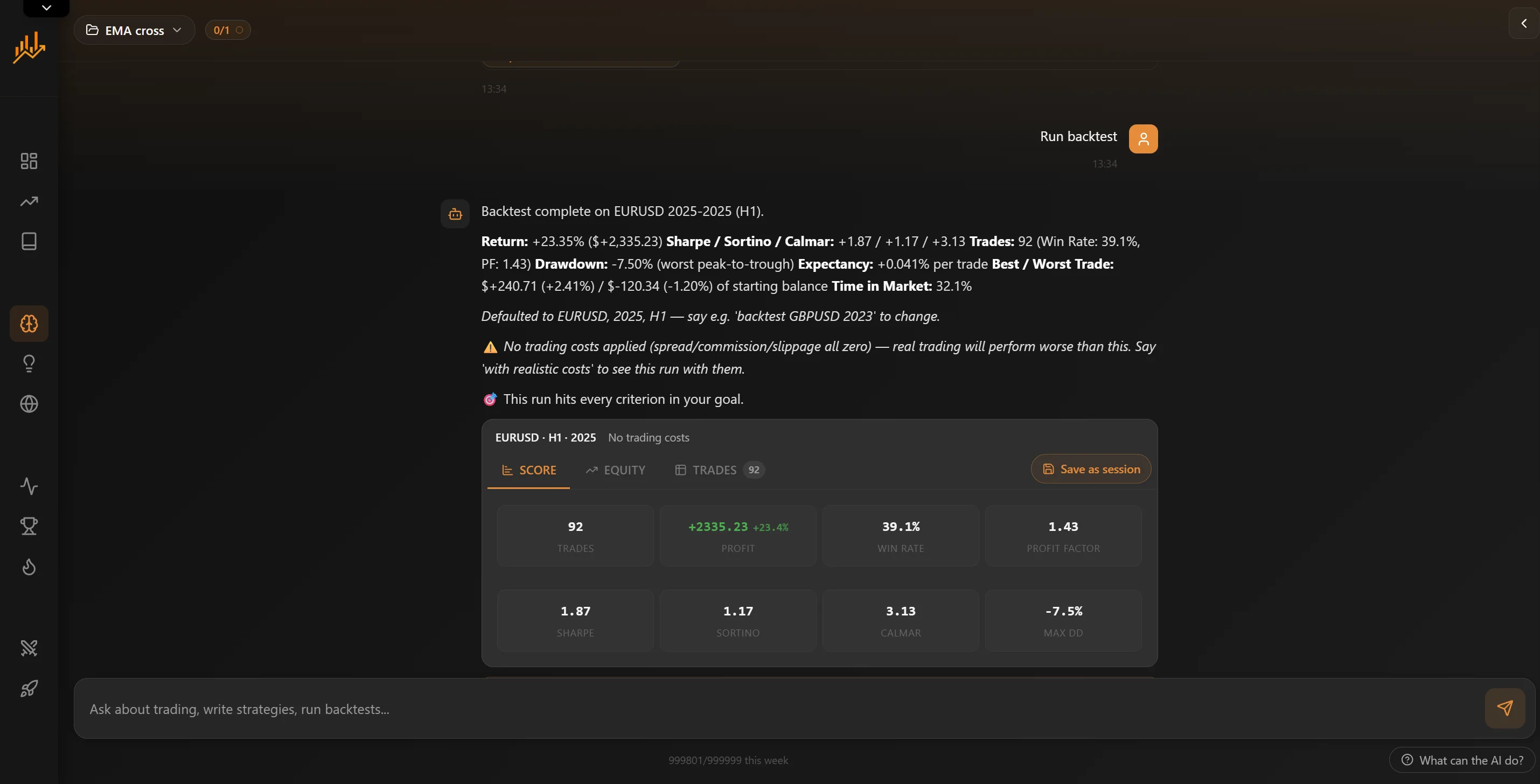 In AI Chat
Describe it. The AI writes it, runs it, and shows you the numbers.
Type what you want to trade: pair, timeframe, entry, stop, target. The AI writes the strategy, backtests it on the same 1-minute history the replay engine uses, and replies with the headline stats plus Score, Equity and Trades tabs. Save as session turns any result into a normal session you can review bar by bar.
- Plain English in, a working strategy out
- Backtested on real 1-minute historical data
- Score, equity curve and the full trade list in the reply
- Each answer builds on the last: change a rule, try another pair
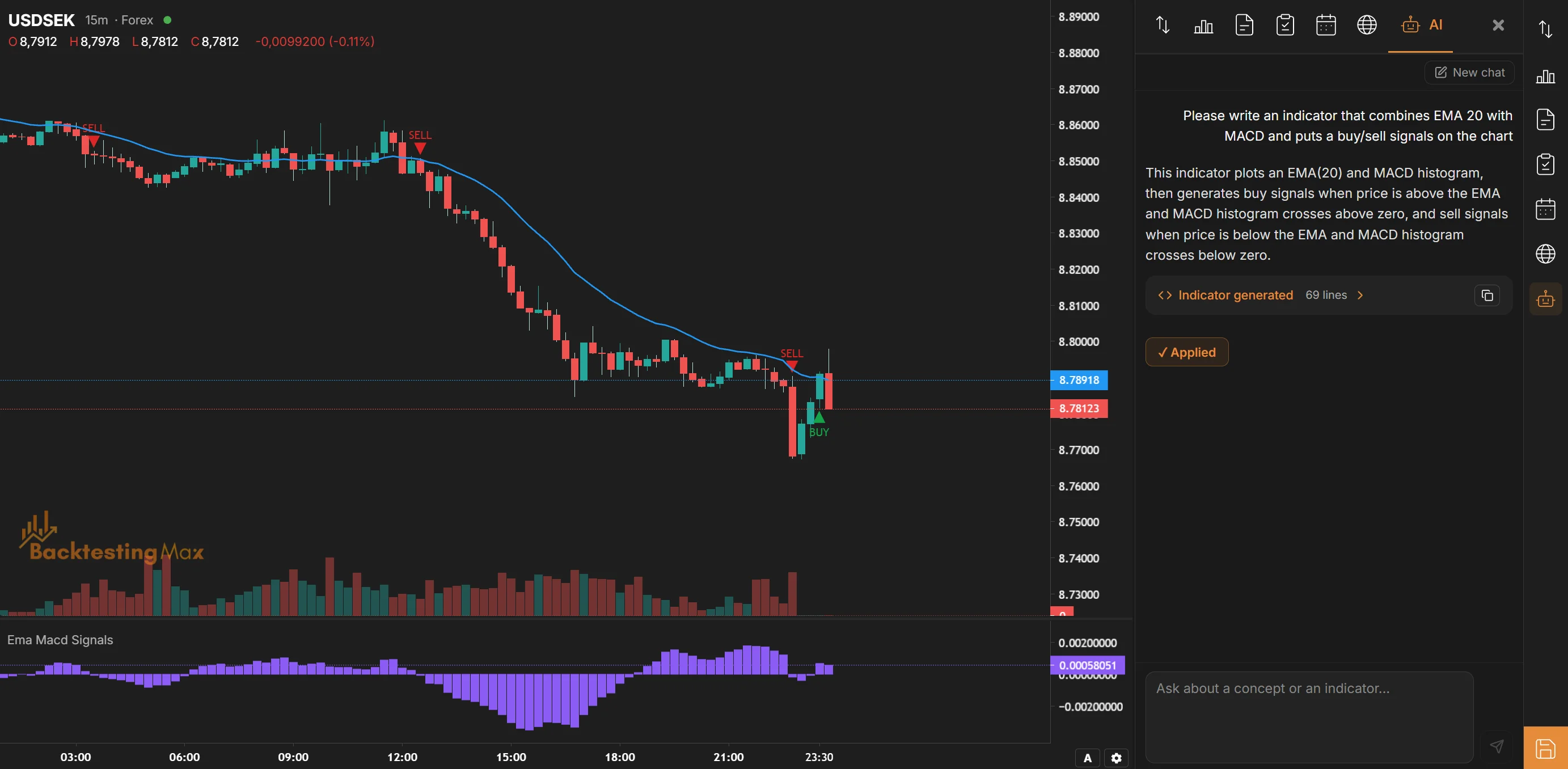 On the chartPremium
Ask mid-session, without leaving the chart.
The AI tab sits in the right sidebar and knows which pair you have open. Ask what a fair value gap is, or ask for a trend-strength indicator. When the reply comes back with an indicator, Apply to chart saves it to your library and draws it in one click.
- Knows the pair and timeframe you have open
- One-click Apply to chart for generated indicators
- Ready-made prompts to start from
- Premium and Lifetime plans, on the same credits as AI Chat
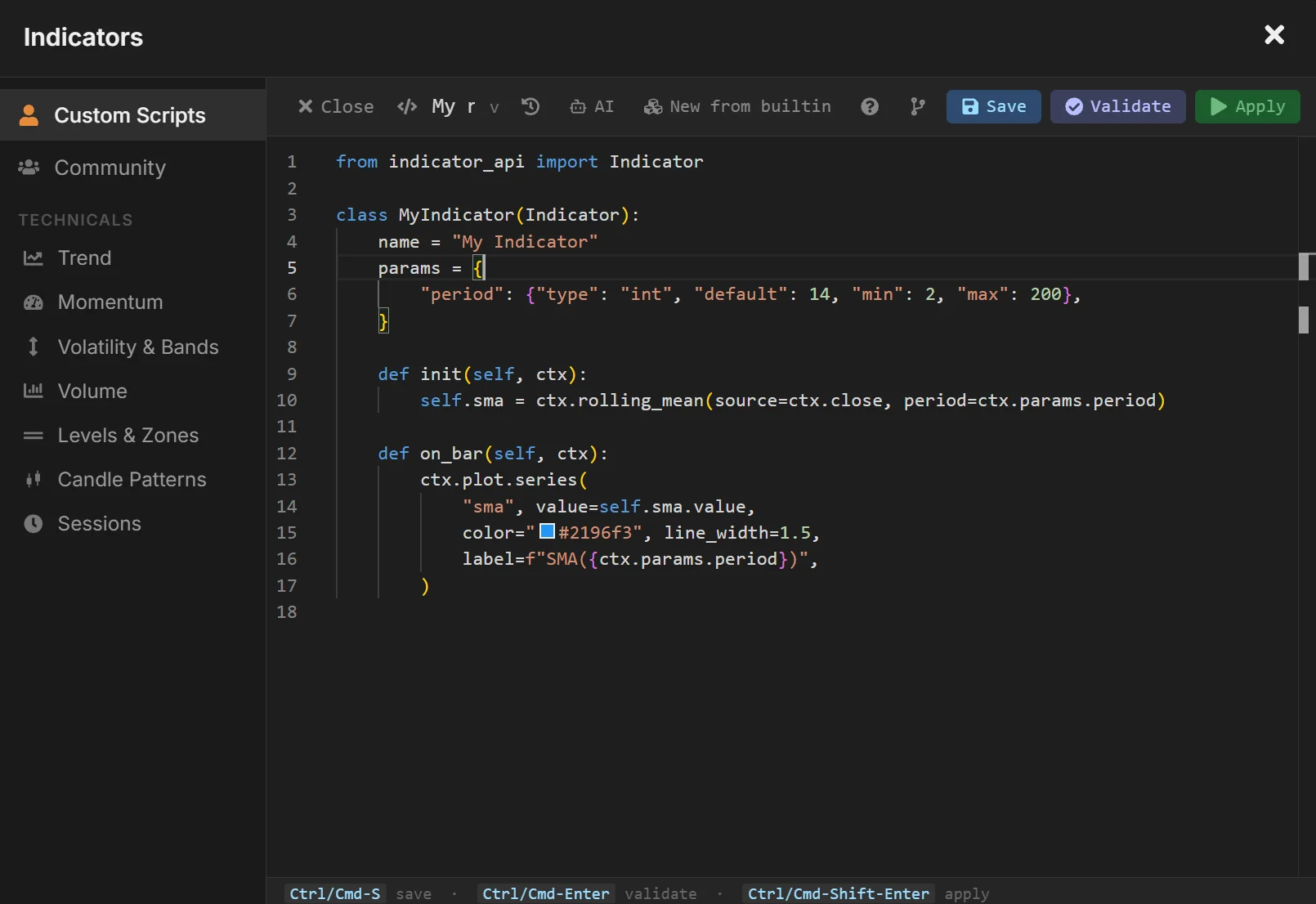 In the indicator editorPremium
Stuck on a custom indicator? It reads the error too.
Writing Python indicators is optional. Describe the indicator and the AI button in the editor writes it. Paste a traceback and it proposes the fix. Inserted code is marked as AI code, so you still validate before you save, exactly as with your own edits.
- Writes an indicator from a description
- Reads your code and the traceback together
- Inserts straight into the editor
- Validate before save, as always
Everything it can do
Every reply can use the same tools you do: market data, the backtest engine, charts, and your own library.
Research
Trading questions
ICT concepts, order flow, what a metric means. Answered with charts when they help.
Price charts on request
Ask for any pair over any period and the chart renders inside the reply.
Compare instruments
"Compare how Bitcoin and gold performed in 2024", with the numbers to back it up.
Economic news
Pull the calendar around a date to see what moved the market.
Testing
Parameter optimization
Sweep a range of settings and see which combinations hold up.
Monte Carlo
Reshuffle the trade sequence thousands of times to see the drawdown to expect.
Prop-firm simulation
Estimate the pass rate against daily-loss and max-drawdown rules.
Compare backtests
Put two versions side by side before you keep one.
Drawdown and trade charts
Ask for the drawdown curve, or the trades drawn on price.
Workflow
Projects and goals
One project per idea, with a name and a goal. Set targets and it tells you when a version reaches them.
Your library
It searches your saved strategies and indicators and builds on them.
Save as session
Turn any backtest reply into a normal session for bar-by-bar review.
The code, if you want it
Inspect and edit any generated strategy in place, or never open it.
Credits and plans
Every message spends credits. A simple question costs the least; writing a strategy costs more, and includes its first backtest. 20 credits covers a typical first session: a question, a strategy with its backtest, and a follow-up.
Daily credits reset at midnight UTC. The weekly cap is a rolling seven-day window.
Open AI Chat Compare plans Free 20credits a day- Per week
- 40
- Projects
- 1
- AI-built indicators
- Premium only
- Per week
- 400
- Projects
- Unlimited
- AI-built indicators
- Included